
<Subscription /> component
Give users control over what notifications they receive - at the topic level. Create subscribe/unsubscribe flows that fit the context. Set workflow preferences and use advanced conditional rules. All of this can be done with a customizable React component.

- Contributors

Paweł Tymczuk

George Djabarov

Adam Chmara
v3.12.0 or higher
We've introduced Subscriptions, a new way to manage notification delivery at the topic level. Now with full context-awareness, giving subscribers precise control over what they receive and when.
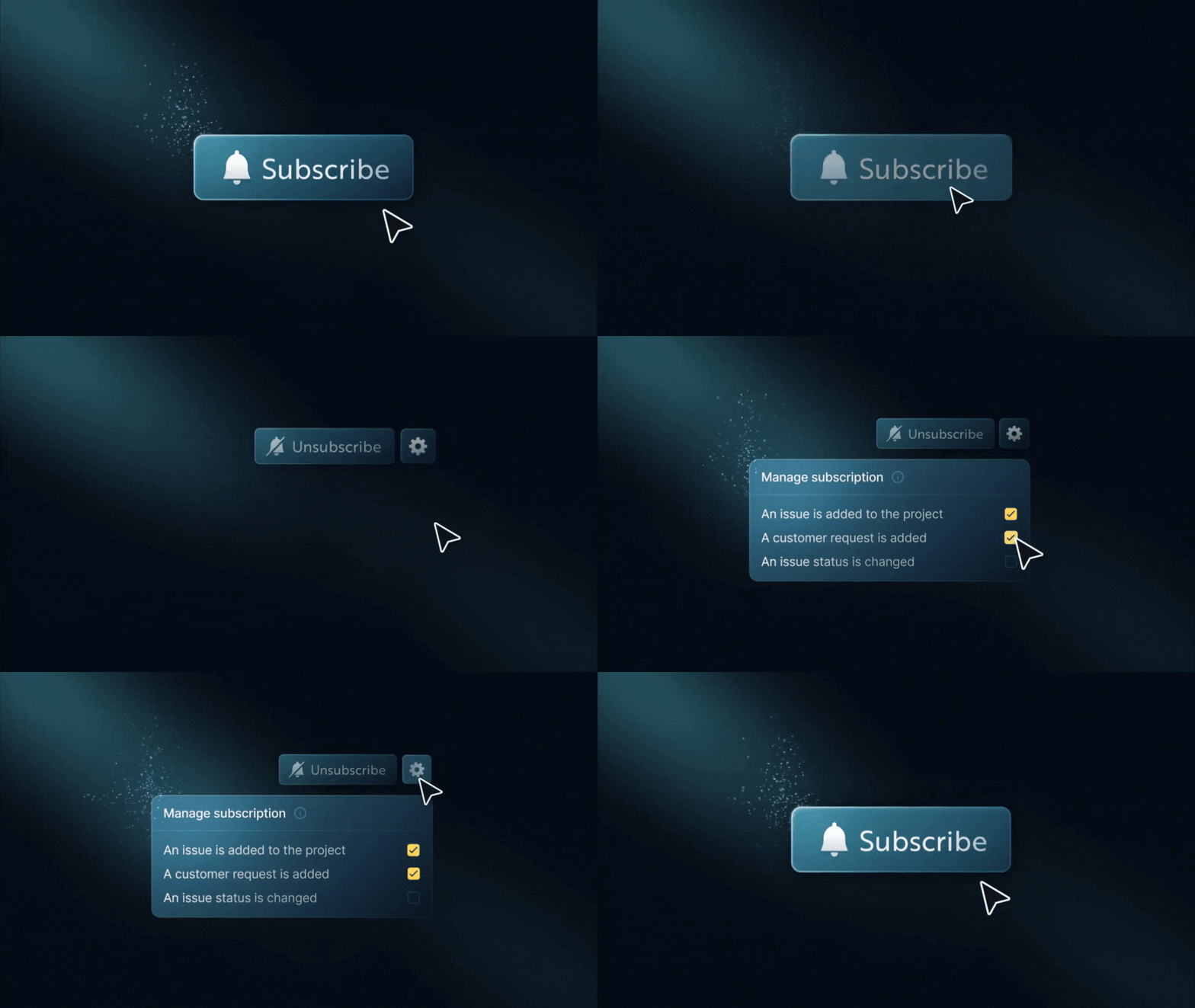
The new <Subscription /> React component makes it easy to add subscription features to your app. You can use it for a simple “follow” button on a resource or a complete preferences view.

- Subscribe or unsubscribe to topics (e.g., projects, issues)
- Enable or disable specific workflows within a topic
- Support conditional delivery rules (e.g., owner-only, thresholds, filters)
- Context-aware preferences: manage subscriptions differently across environments, tenants, or custom contexts using
contextKeys - Multiple subscriptions per topic with different conditions
- Fully customizable UI with theming, localization, and headless hooks
- Works seamlessly with Inbox and existing workflow/global preferences
Previously, subscribers could only control notifications at the workflow or channel level.
Subscriptions now unlock:
- Topic-level muting (e.g., turn off updates for project:43)
- Context-scoped preferences: filter and match subscriptions by context, with behavior safely gated behind the feature flag
- Advanced, structured preferences stored as JSON conditions
- Contextual subscription management directly on entities like projects or tasks
Behind the scene, we've added robust support for contextKeys throughout the inbox and subscription modules. Sorted for consistency, validated across commands, and integrated into identifier logic for uniqueness.
This lays the groundwork for granular notification preferences in multi-context environments while maintaining backward compatibility when context features are disabled.
Learn more about <Subscription /> component
Improvements (5)
- Removed the default custom font URL from block-based email content. Now, it uses system default fonts instead.
- Subscriber preferences now support context-aware binding. You can set and retrieve preferences for specific contexts, such as tenants or environments. If there's no context-specific value, it will use the global preferences instead.
- Pagination preferences now persist across sessions. When you change how many items show per page, it saves your choice. The next time you visit, your selection will be restored.
- Webhook messages now include workflow and step identifiers. Each webhook payload now includes workflowId and stepId. This gives you better context for tracking and routing events.
- You can now configure digest lookback windows directly in the workflow editor. When digest mode is on, you’ll find new options for how far back to look. You can pick from quick presets: immediately, 5 minutes, or 30 minutes. You can also enter a custom value.
Fixes (1)
- Fixed the problem where duplicating a workflow didn't copy schema fields. This includes
payloadSchema,validatePayload, and severity. These properties are now correctly preserved when workflows are duplicated.