Skip to content

Changelog

Latest updates and improvements in the mcp category.

Follow us on X

All changelog posts

  • Novu MCP OAuth

    Connect Cursor, Claude Code, ChatGPT, and other MCP clients to Novu with OAuth - no API key to copy, your organization picked up automatically on sign-in.

    Author:Himanshu Garg
    Himanshu Garg
    Novu MCP OAuth sign-in — one-time consent to let an AI client act on your Novu workspace

    The Novu MCP Server now supports OAuth for Novu Cloud. Point your AI client at the MCP URL, approve the sign-in prompt on first use, and you're connected — no secret key to copy, paste, or rotate.

    OAuth is the recommended path for interactive clients like Cursor, VS Code, Claude Code, and ChatGPT. API keys still work as a fallback for clients without remote OAuth, autonomous agents, and self-hosted Novu.

    Connect in one step

    Add the MCP URL for your region and save. Your client handles the rest — it prompts you to sign in to Novu the first time it calls a tool.

    {
      "mcpServers": {
        "novu": {
          "url": "https://mcp.novu.co/"
        }
      }
    }

    Use https://mcp.novu.co/ for US and https://eu.mcp.novu.co/ for EU — match the region of your Novu dashboard.

    Available on every Novu Cloud plan. Read the MCP connection guide.

  • In-conversation MCP authorization and message queues

    Connect external MCPs during the conversation and process incoming messages one at a time for a more predictable chat experience.

    Author:Dima Grossman
    Dima Grossman

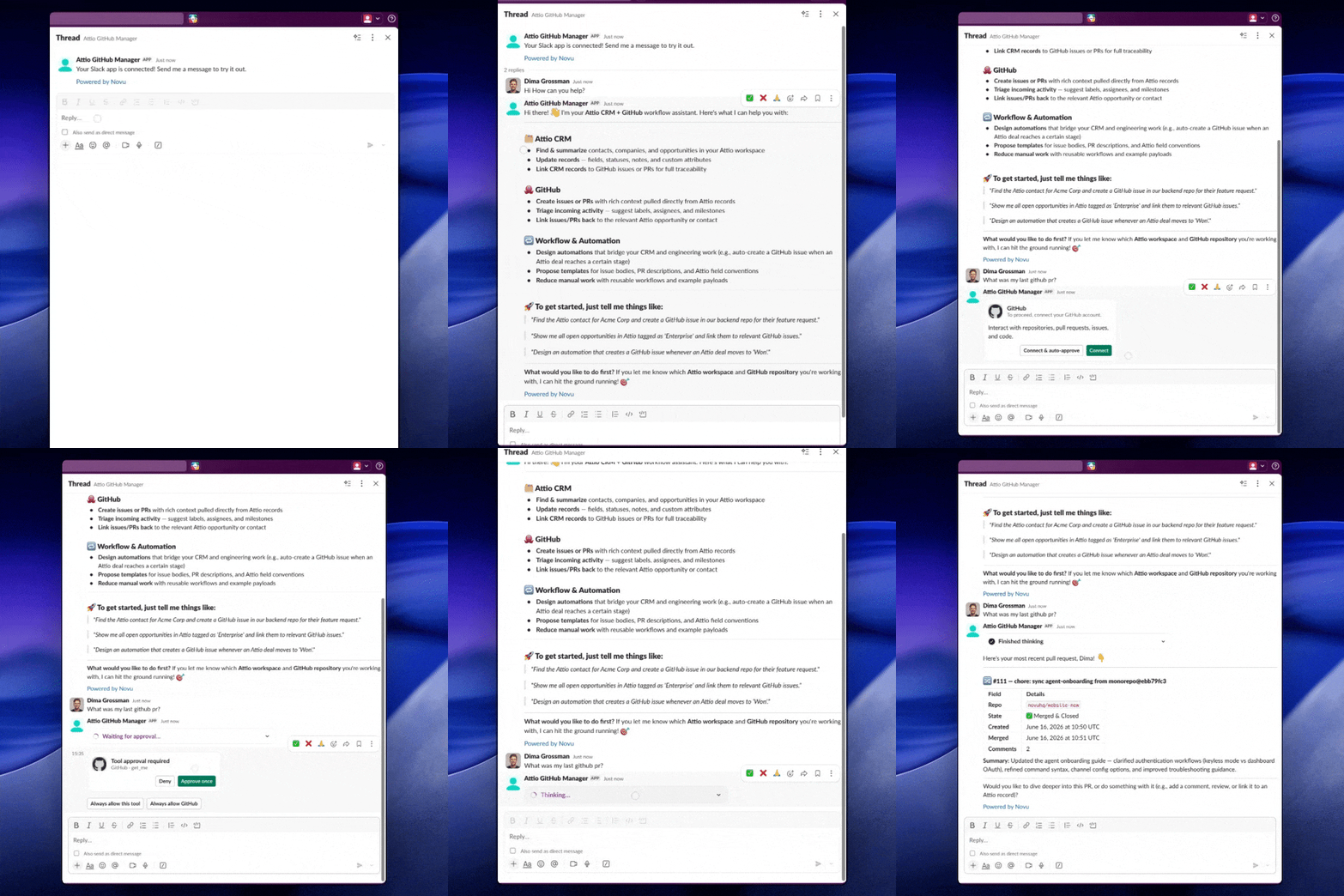
    Connecting external MCPs is now part of the conversation itself, instead of a separate setup step. When an agent needs access to a tool, it can prompt the user to connect it right at that moment and then continue the original request once access is granted. This makes the experience feel much more natural and reduces the friction of getting started with tool-powered workflows.

    We also introduced session-level tool access, so connected tools are available only where they are relevant. That gives users a clearer sense of control over what an agent can use during a conversation, while helping keep tool usage focused on the task at hand.

    Conversation queue

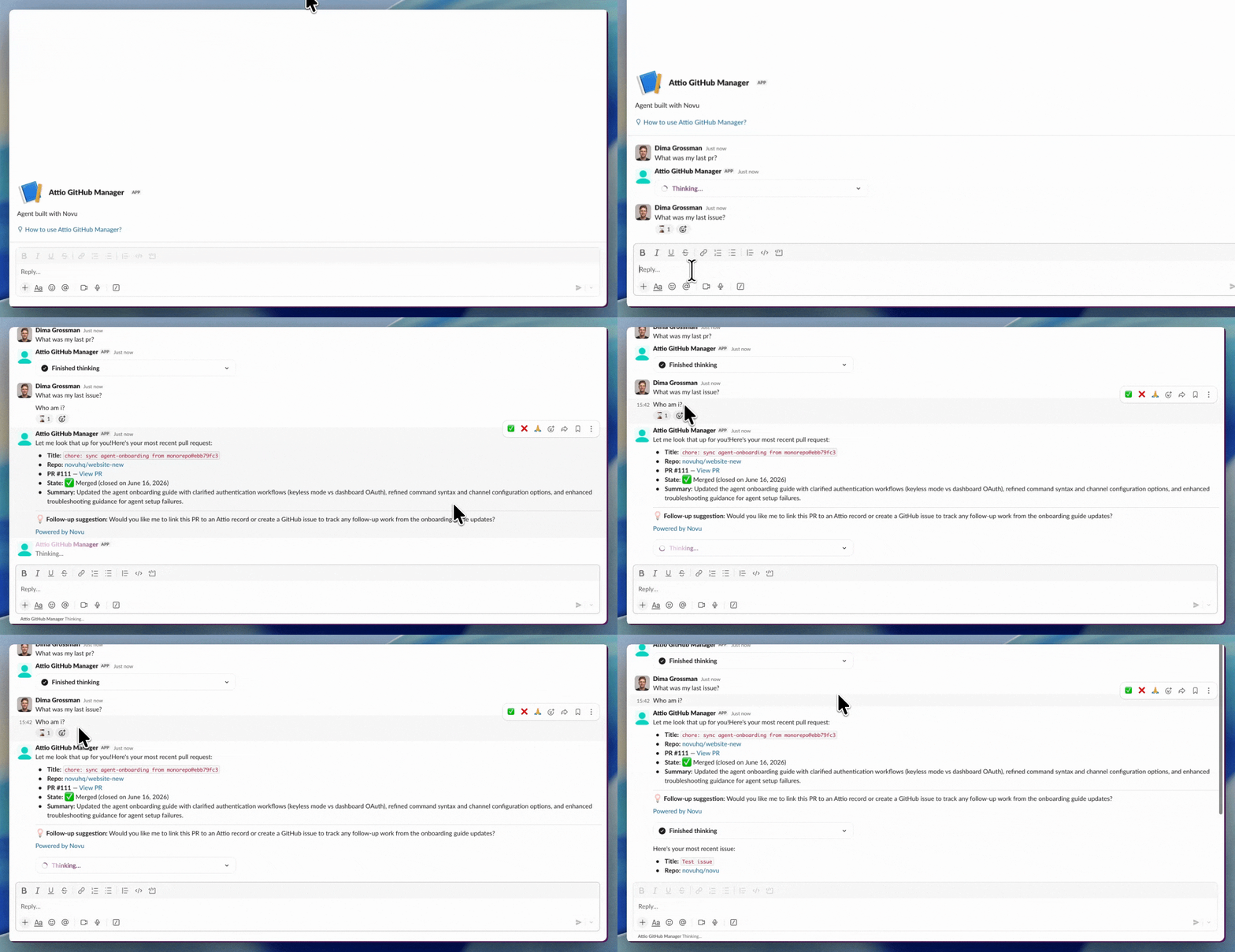
    We also improved how conversations behave when several messages arrive quickly. Messages are now processed in order, one at a time, instead of competing in parallel. This creates a more predictable experience in fast-moving chats and helps reduce confusing or out-of-sequence responses.

    Each queued message gets its own ⏳ indicator, and the indicator is removed when the message is processed.

  • Novu's MCP Server

    We've shipped our first MCP server implementation, enabling AI assistants to connect directly with your Novu workspace data and operations.

    Author:Himanshu Garg
    Himanshu Garg
    Novu's MCP Server

    We've shipped our first MCP server implementation, enabling AI assistants to connect directly with your Novu workspace data and operations.

    Available Tools

    - Core operations: API key validation, environment listing

    - Workflow management: CRUD operations, triggering, detailed configuration access

    - Subscriber operations: search and lookup functionality

    - Notification analytics: filtering, execution logs, detailed retrieval

    - Preference management: subscriber channel preferences (read/write)

    Setup

    Our MCP documentation provides full configuration instructions for Claude Desktop, Claude.ai, Cursor, and other MCP-compatible tools.

    This initial release covers core Novu operations. We're tracking usage patterns and will expand endpoint coverage based on developer feedback and common use cases.

    If you're using this integration or have specific endpoints you'd like to see supported, we'd appreciate hearing about your workflow in our Discord or through GitHub issues.