
Multi-channel notification
delivery from one workflow
Reach users in-app, by email, SMS, push, and chat from a single trigger.
We handle providers, timing, and each user’s preferences.





Stop building a new integration for every channel
Each new channel brings its own SDK, template
format, and one more place to debug. With Novu,
you set it up once.
Integrate once
Your backend sends one event. Novu delivers it to every channel through your providers.
Change messages without a deploy
Product teams edit copy, channels, and timing in the dashboard. Test in dev, then publish.
Reach users where they act
Show it in-app first, follow up by email or push if it’s missed, and respect user preferences.


Use the providers
you already have,
on every channel
Connect the accounts you already pay for, run several per channel, and switch providers without touching code.
In-app. Novu Inbox, ready to drop
in or fully restyled to your UIEmail. SendGrid, Amazon SES,
Resend, PostmarkSMS. Twilio, Infobip, Sinch, Plivo
Push. Firebase Cloud Messaging,
APNS, Expo, OneSignalChat. Slack, Microsoft Teams, WhatsApp Business, Telegram, Discord


Nudge users who
missed the message
Send a task reminder in the app. Wait six hours.
Send an email only if the reminder is still unread. One workflow, triggered by one call from your backend.

Control delivery
from one place
Rules, timing, and content live in one workflow, so changing how a message reaches users doesn't mean touching code in five places.
Set when steps run
Run or skip a step based on who the user is, what happened, or whether they acted earlier. Add delays for follow-ups.
Give users control
Users pick their channels, globally or per notification. Critical messages, like password resets, always get through.
Personalize messages
Write content for each channel with live previews and real user data. Send it in their language with built-in translations.
Cut the noise
Group a burst of events into one summary and limit how often the same notification reaches each user.


Keep your providers.
Centralize routing
Connect several provider accounts and decide which one handles each message. Your app keeps sending the same event while Novu picks the right provider.
A provider per customer. Send a customer's email or SMS through their own provider account, so messages come from their domain and their sender.
Rules instead of code. Pick an email or SMS provider by customer, language, or workflow. Messages that match no rule use your default provider.
Native channel formats. Write content for each channel and use native formats where supported, such as Slack Block Kit or WhatsApp templates.


Your agent stays yours. Novu carries the messages and keeps track of each conversation across channels, while your model and tools stay on your side.
Let users reply.
Let agents answer
A failed payment usually sparks a question. With Novu Connect, users reply to the email or chat, and your agent answers in context.

Bring your agent to Slack, Teams, WhatsApp,
Telegram, and email, or into your app.
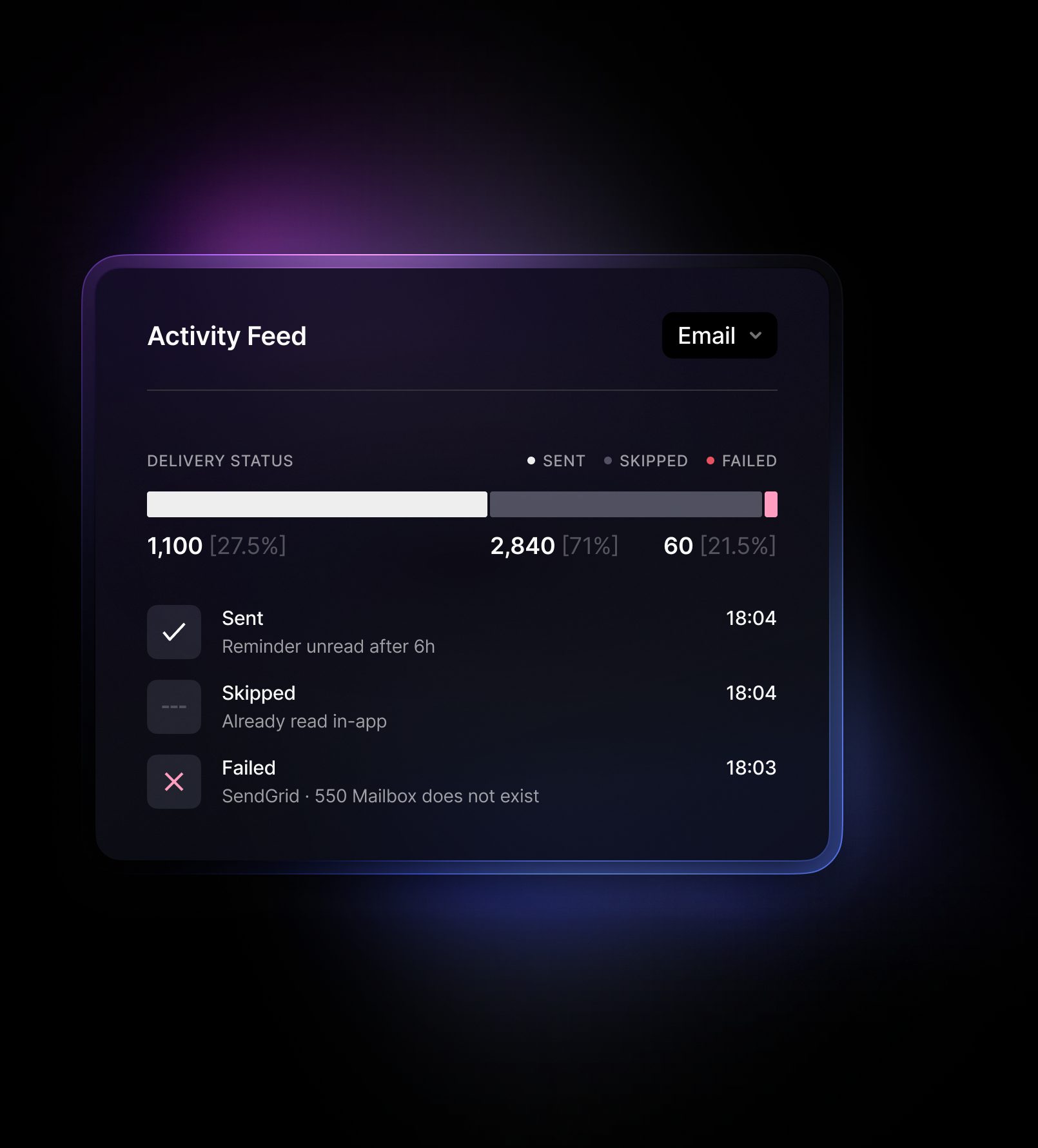
Know what happened
to every notification
See every workflow run step by step: what
was sent, skipped, or failed, and why. Agent conversations are logged too.
Frequently asked questions
Build your first multi‑channel workflow
Connect a provider, add your steps, and send a test notification. Add channels as your users need them.